UX/UI Design
GreenMobility
Same map. Different moment.
2026
Role
UX/UI Designer
Focus
UX Research · Information Architecture · Interaction Design · UI Design · Prototyping · User Testing
Type
Independent redesign concept
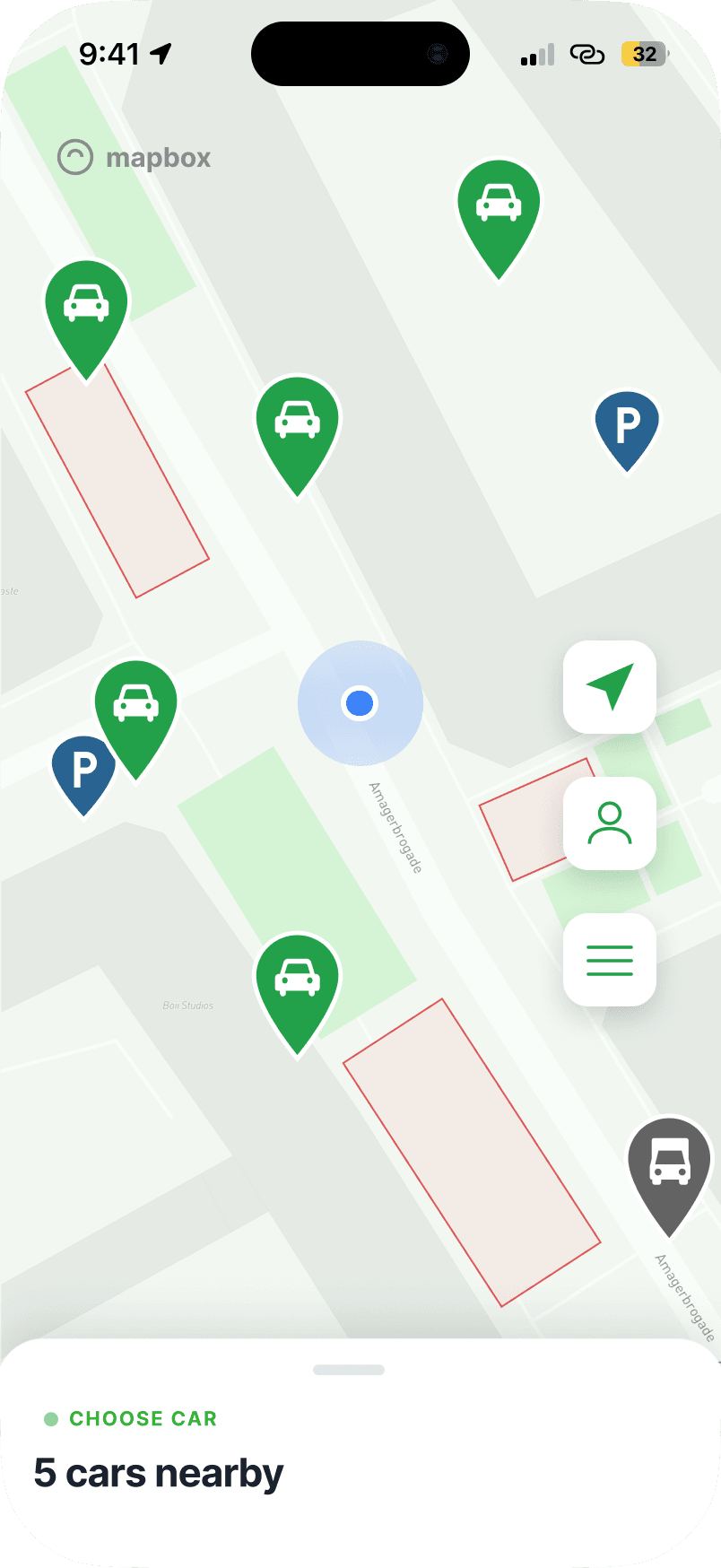
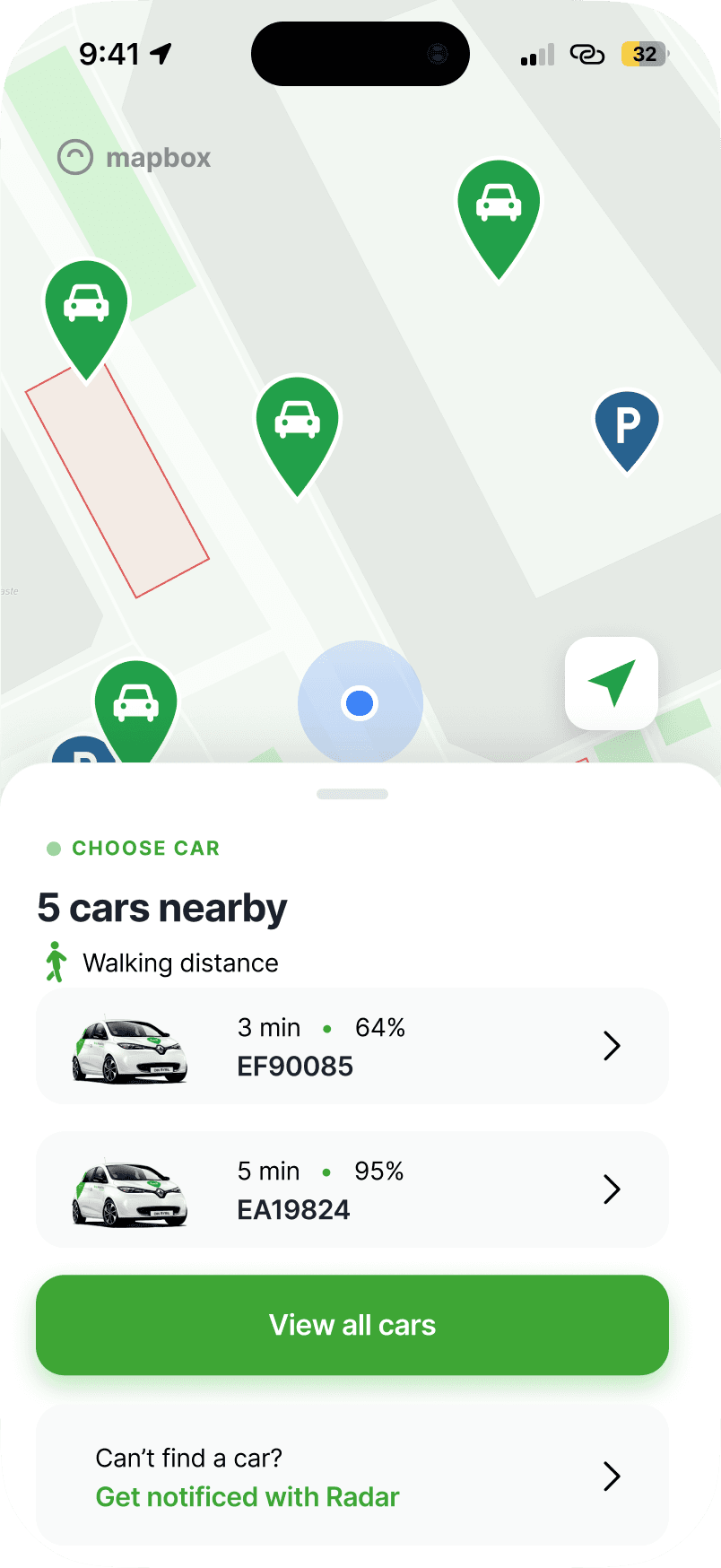
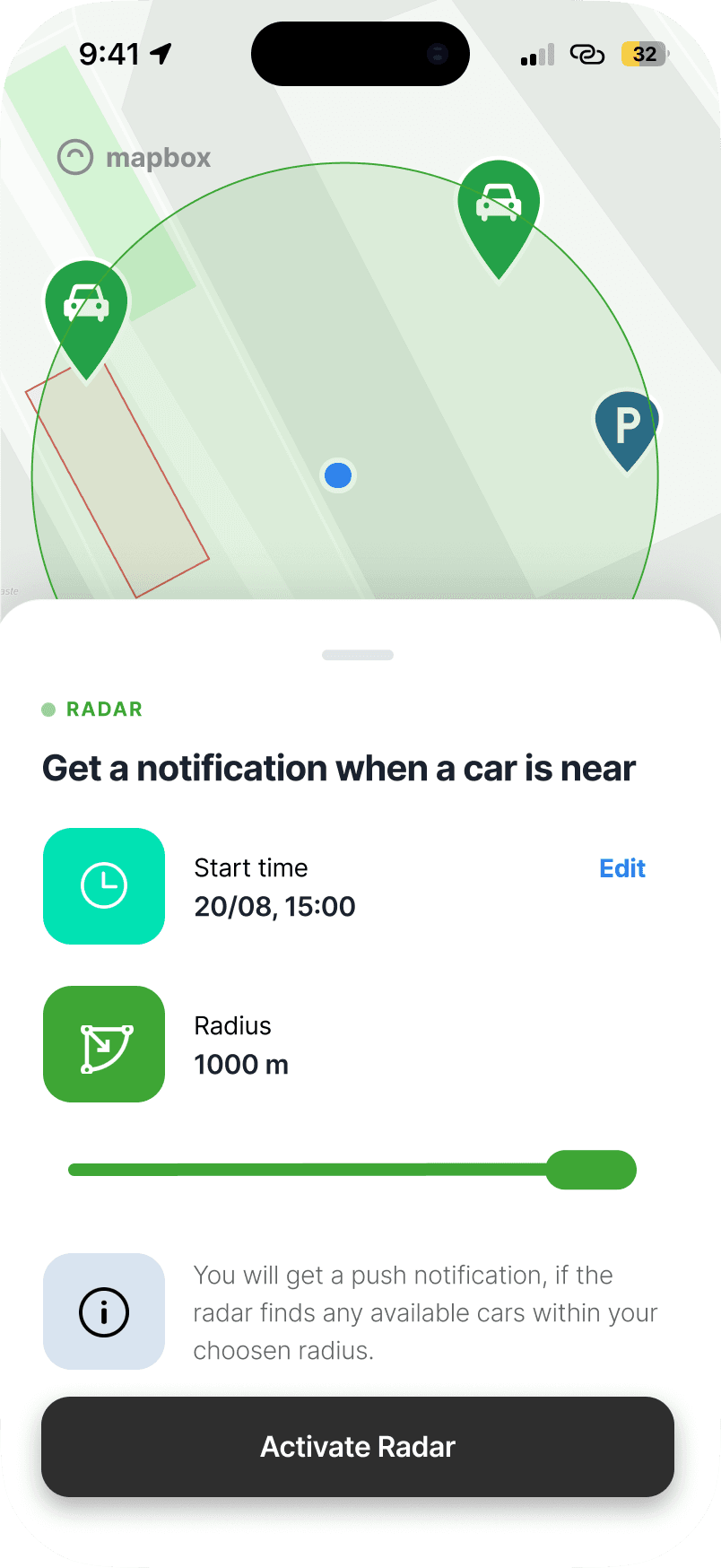
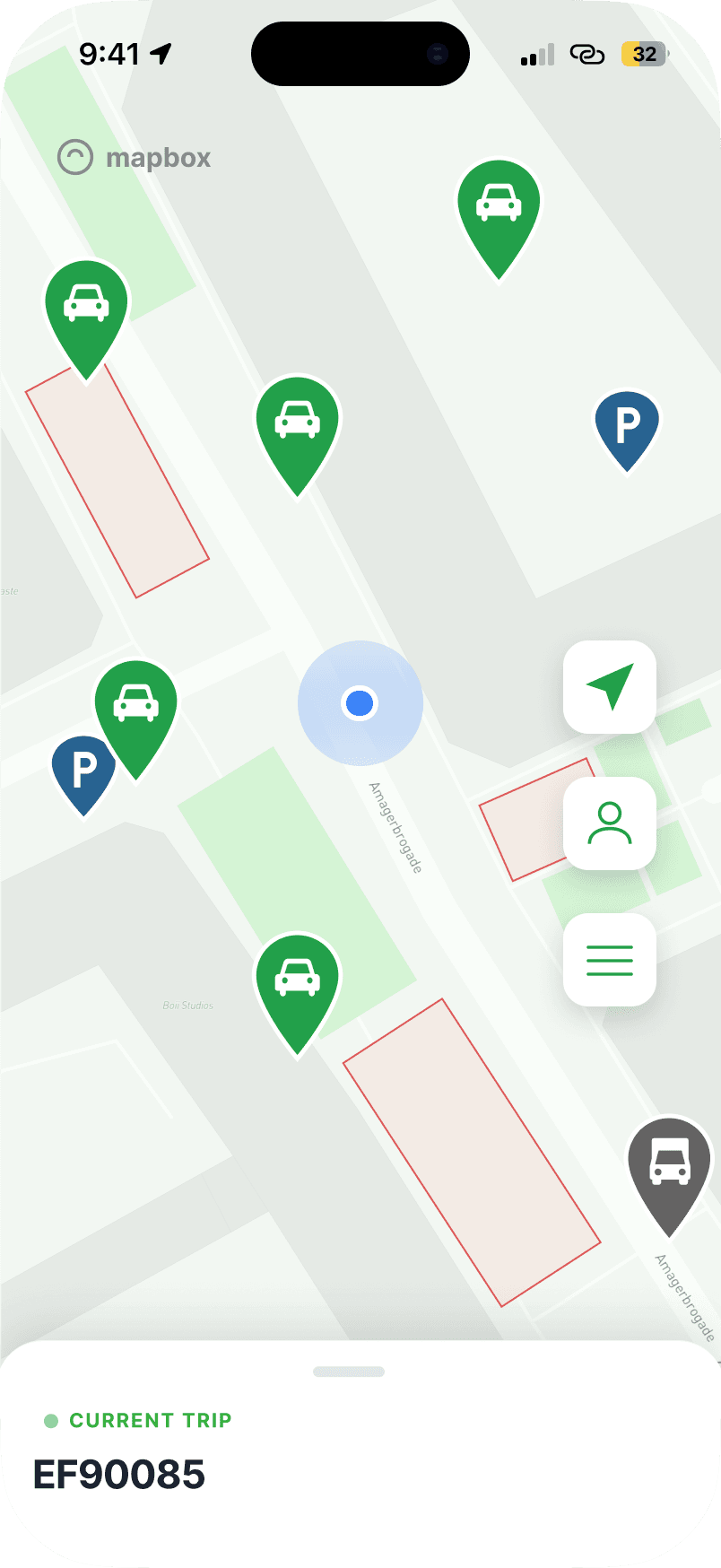
Redesigning GreenMobility around user context rather than features
GreenMobility is built around a simple task: finding and using a car. But as I explored the app, I found that supporting this task often required navigating between features organised around the system rather than the user's current situation.
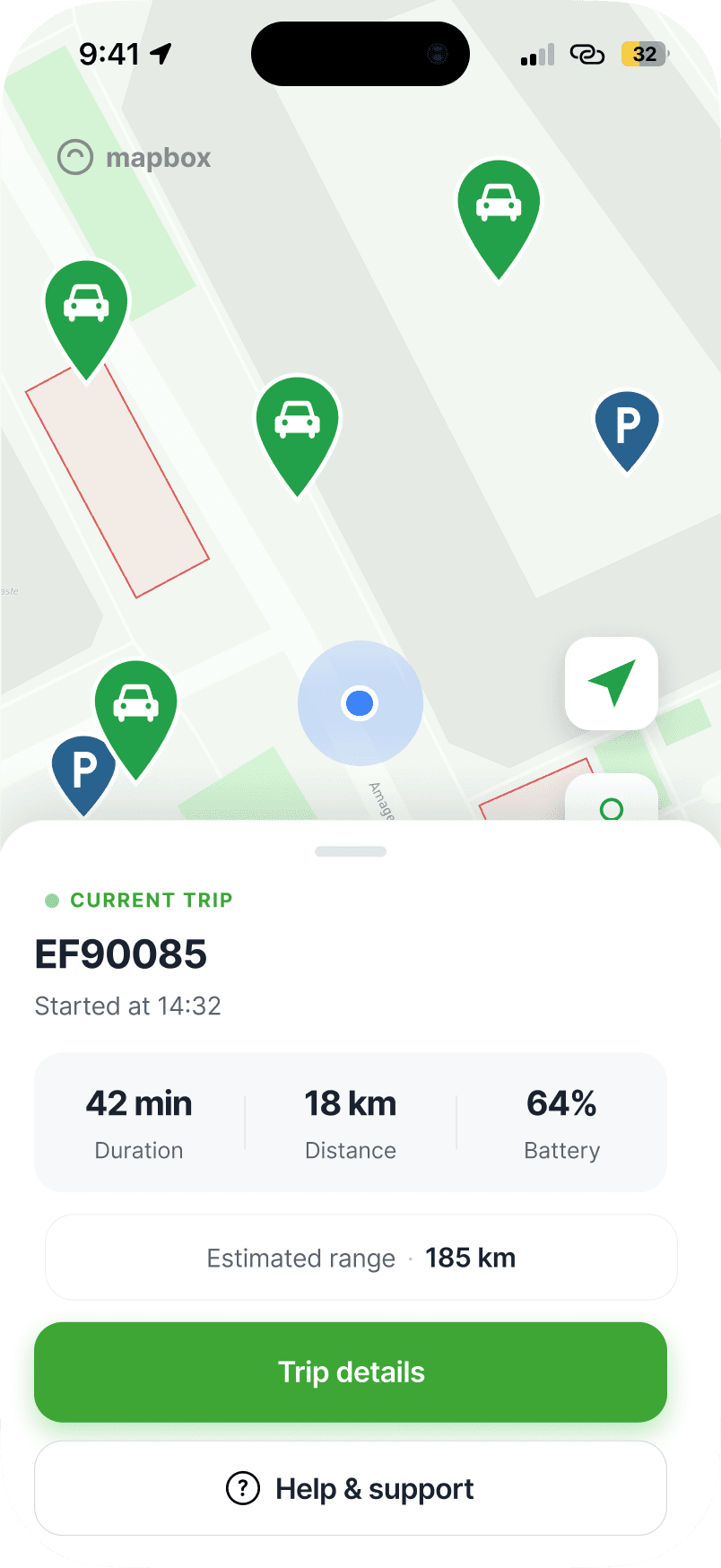
I explored how the experience could instead adapt to the two moments that matter most: before a trip and during a trip.
The problem
The functionality was there. The structure was getting in the way.
GreenMobility already offered many of the features users might need, from finding cars and using Radar to viewing previous trips, accessing support and managing benefits. The challenge was how these features were organised and surfaced.
Core mobility tasks existed alongside account settings, benefits, payment and support, while important functionality could require users to know where a feature lived before they could use it.
Fragmented navigation
Related tasks were distributed across different parts of the experience.
Feature first structure
Users often needed to understand where a feature lived before accessing it.
Changing needs
Finding a car and managing an active trip require very different information, despite happening within the same map experience.
How might the experience surface the right functionality based on what the user is trying to do, and when they need it?
Mapping the existing architecture
Understanding the system before redesigning the interface
Before changing individual screens, I mapped the existing information architecture to understand how functionality was organised and accessed.
The map revealed a relatively flat structure around the profile area, where unrelated functionality such as trip history, payment, benefits, customer service and account settings competed within the same hierarchy.
Key insight: The problem was not a lack of functionality. It was the relationship between functionality, context and access.
Early concept and user testing
Testing the structure before polishing the interface
Rather than moving directly into high fidelity design, I created an early concept that reorganised the experience into four areas: Map, Book, Activity and Account.
I used scenario based testing to understand whether users could predict where they would find key functionality.
Participants were asked to
- find a suitable car nearby
- get notified when no cars were available
- explore options for securing a car in advance
- find information about a previous trip
- access help and support
What I learned
The test challenged my first solution
The initial structure performed well for several tasks. Participants understood Radar, pre-booking and trip history, but their feedback also revealed something more important: the user's needs change with the moment they are in.
01
Decision making needs information, not just availability
Participants expected nearby cars to provide enough information to make a choice, particularly walking distance and battery level.
“I'd expect to see how many km their battery can cover.”
Design implication: Surface decision critical information directly when choosing a car.
02
The active trip belongs on the map
One participant explicitly expected an ongoing booking to be visible on the initial screen rather than hidden inside a separate Activity area.
“I wanna see my ongoing booking somewhere on the initial screen.”
Design implication: Treat an active trip as a state of the core experience rather than a separate destination.
03
Support depends on context
Help and Support made sense under Account outside a trip, but participants expected it to be immediately available during an active booking.
“During the booking, I'd expect this option to be quickly reachable on the main screen.”
Design implication: Important functionality does not always need one fixed location. Access should reflect context.
Reframing the experience
From navigation to context
My first concept asked
Where should each feature live?
The final concept asked
What does the user need right now?
The map is already the centre of GreenMobility's experience, so rather than introducing another layer of primary navigation, I kept the map as the anchor and designed it around two distinct states.
Before trip
Find and choose
Locate nearby cars, compare relevant information and react when no suitable car is available.
In trip
Monitor and manage
Keep the map accessible while surfacing trip status, vehicle information and immediate support.
Proposed information architecture
Reorganising around user intent
The proposed architecture separates the contextual mobility experience from supporting functionality. Instead of giving every feature equal weight, the new structure distinguishes between what users need in the moment and what they intentionally navigate to manage.
Contextual core
Home and Map change between Before Trip and In Trip, surfacing functionality relevant to the current moment.
Clearer destinations
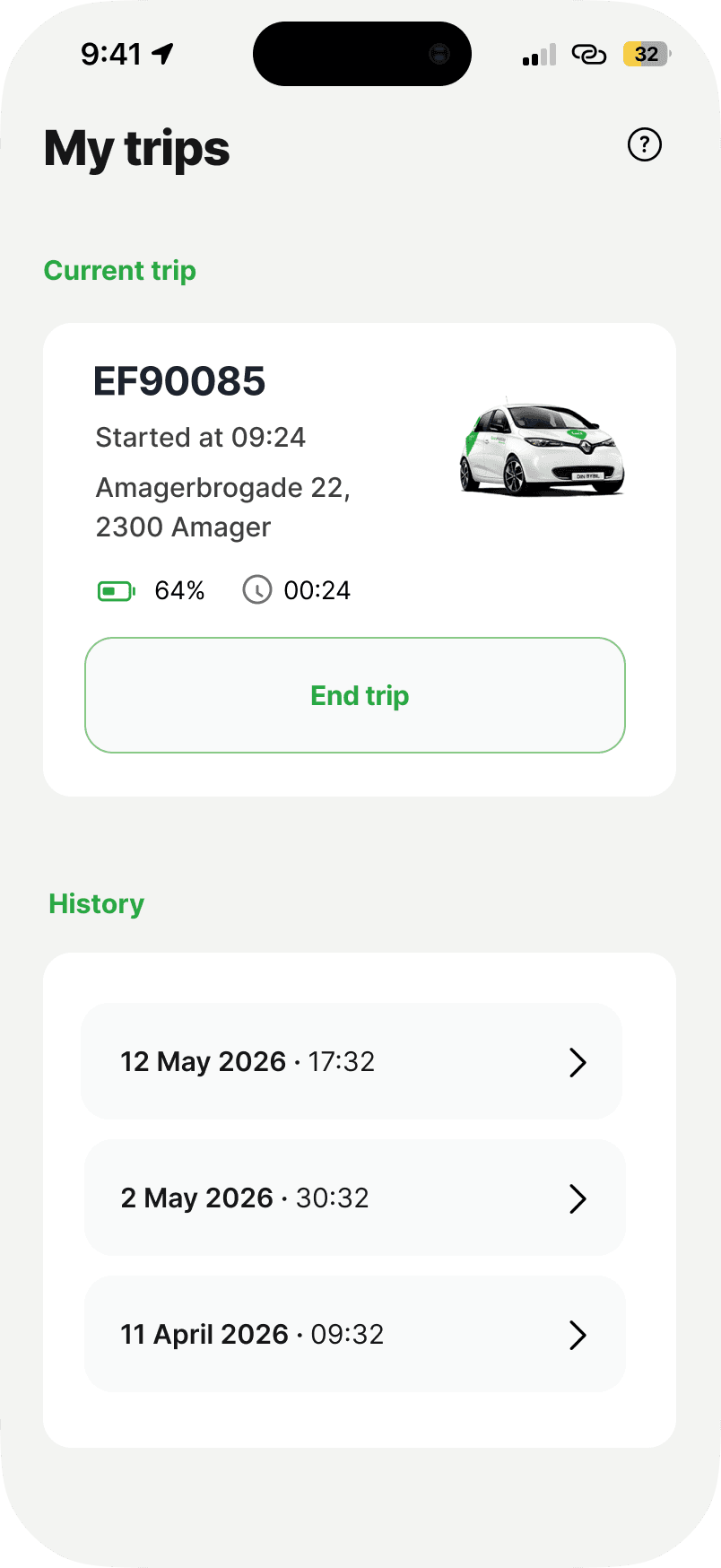
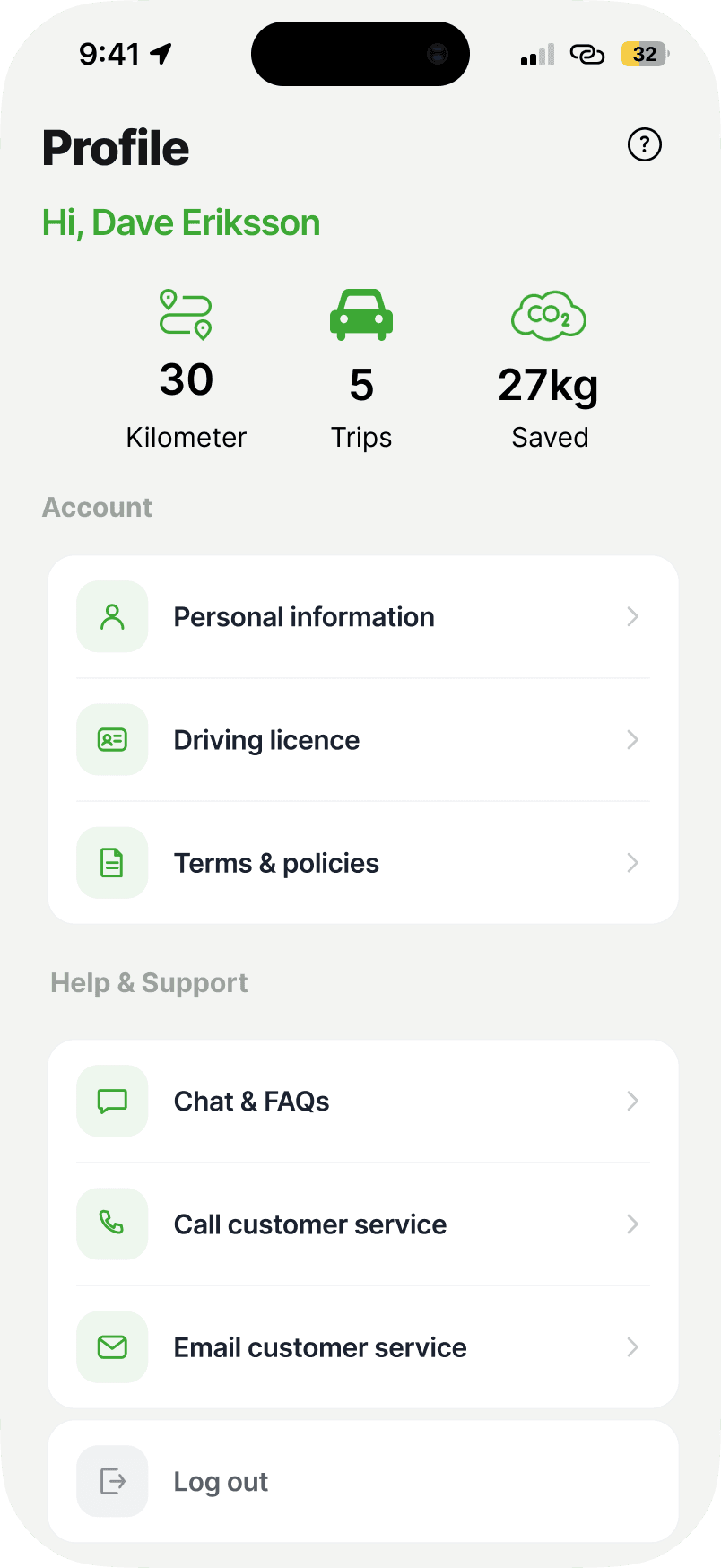
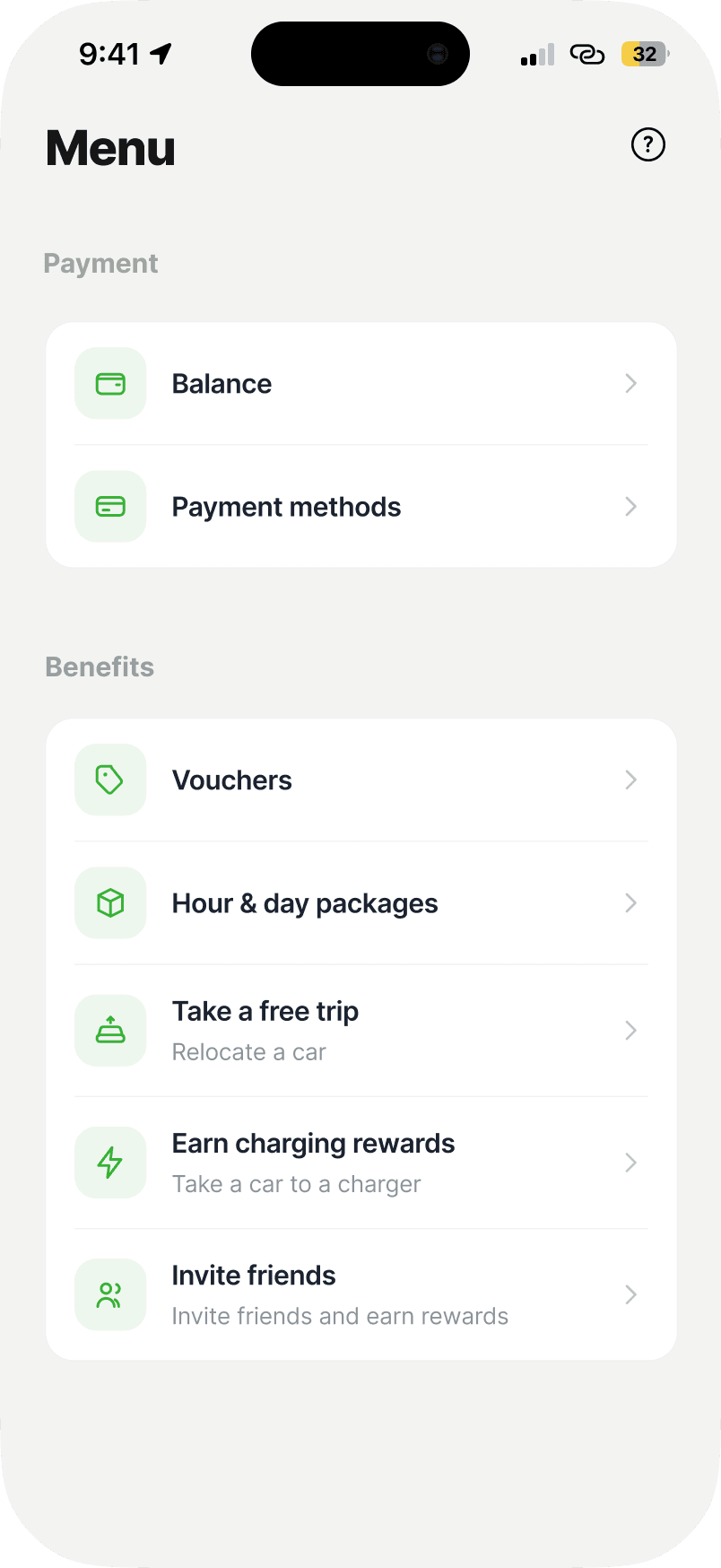
Trips, personal information, payments and benefits are grouped according to user intent rather than accumulated under one area.
Contextual access
Some functionality can be reached from multiple contexts. Current Trip surfaces both through My Trips and the active map experience, while support becomes immediately accessible during a trip.
The final interface was not designed screen by screen. Each major interaction traces back to a change in how I understood the underlying experience.
Before trip
Making the next decision easier
Before a trip, the user's primary goal is not simply to see cars. It is to decide which car works for their journey. The bottom sheet therefore progresses from overview to comparison without removing the map from view.
In trip
When the trip starts, the interface changes priorities
Once a car is in use, finding another car is no longer the primary task. The same map transitions into an In Trip state, keeping the interface visually familiar while changing what the bottom sheet prioritises.
Get help when it matters
Help and Support is placed directly alongside the active trip, responding to the finding that support becomes more important and more time sensitive during a booking.
“During the booking, I'd expect this option to be quickly reachable on the main screen.”
Supporting destinations
Giving everything else a clearer home
Not every feature needs to compete for attention in the core mobility experience. I reorganised secondary functionality into clearer destinations based on what users are trying to manage.
Next steps
What I would validate next
The redesign is based on insights from the first round of testing, but the new contextual model introduces assumptions that should be tested before implementation. I would focus the next round of testing on whether users:
- understand that the bottom sheet changes between Before Trip and In Trip
- discover Radar naturally when no suitable car is available
- understand where to find previous trips, account information and benefits
- can quickly access support during an active trip
Success would not only mean completing the tasks, but doing so without needing to understand how GreenMobility has organised its features internally.
Same map. Different moment.
A contextual mobility experience that keeps the map at its centre, while adapting the information and actions around what the user needs in the moment.